Tampilkan postingan dengan label a. Tampilkan semua postingan

Rabu, 11 Maret 2015

Beberapa hari kemaren sempet ada pemberitahuan bahwa ada update aplikasi, tapi masih belum sempat lihat, lagian signal internet dirumah saya juga edge jadi saya harus sabar menunggu hingga kembali ke peredaran tempat kerja. setelah kembali ke tempat kerja langsung aja nih aplikasi saya download dan langsung testing.

Beberapa fasilitas sudah ditambahkan oleh pihak sony dengan update ini, diantaranya adalah :
Home
Artis
Albums
Songs
Folder
Playlist
Devices

Untuk lebih detailnya silahkan dicoba sendiri ya...
Kalau saya beritahu nanti malah tidak berkesan dihati. hahahhahaha.....

Link Download :
Mediafire

ScreenShot :

Thx To : All member Group Xperia C indonesia
Read More..

Sabtu, 07 Maret 2015

Cross-posted from the Google Australia blog 

From the snow-capped summit of Mount Kosciuszko, to the beaches at Bondi and the seafloor of the Great Barrier Reef, every person can explore our country’s most beautiful locations on Google Maps.

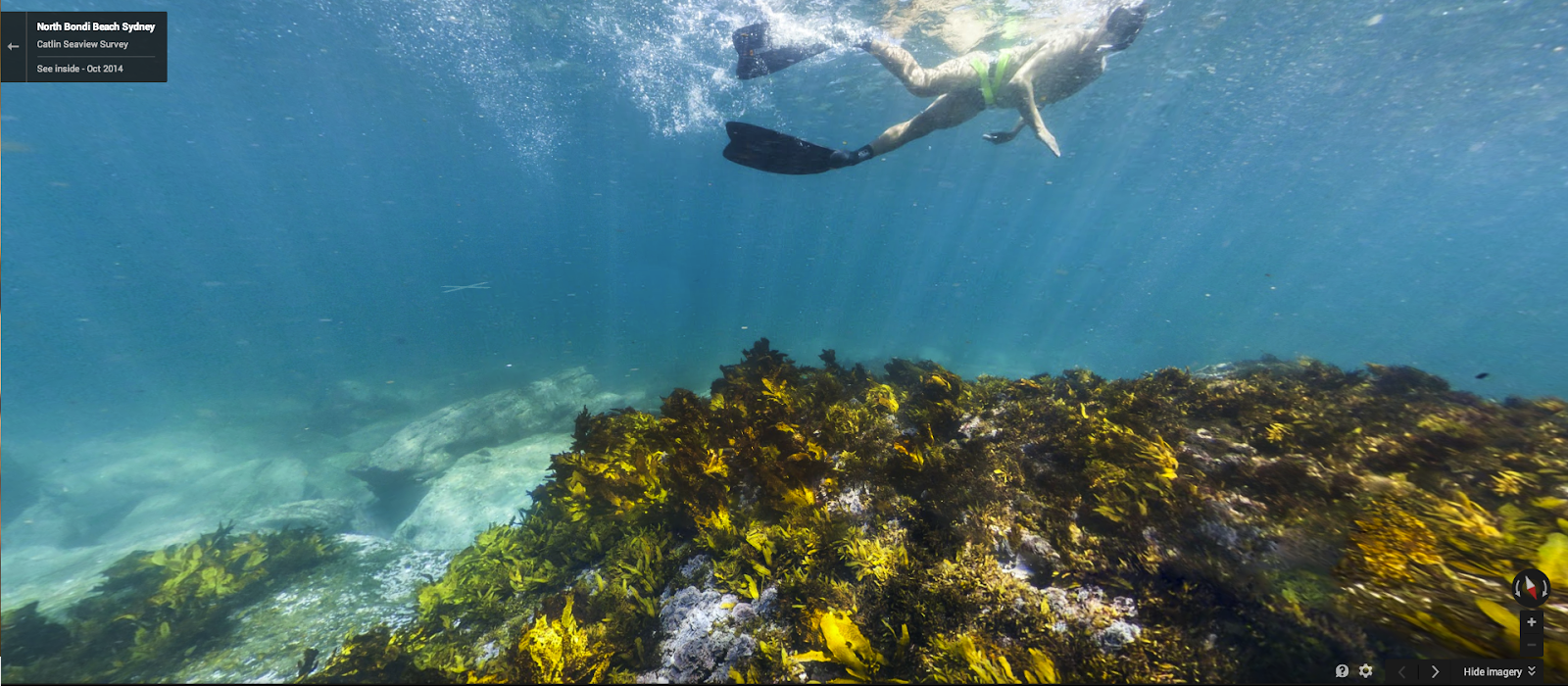
To celebrate the once-in-a-decade IUCN World Parks Congress that’s taking place in Sydney this week, we’ve partnered with New South Wales National Parks and Catlin Seaview Survey to bring 21 parks and 27 underwater locations across Australia to Street View.

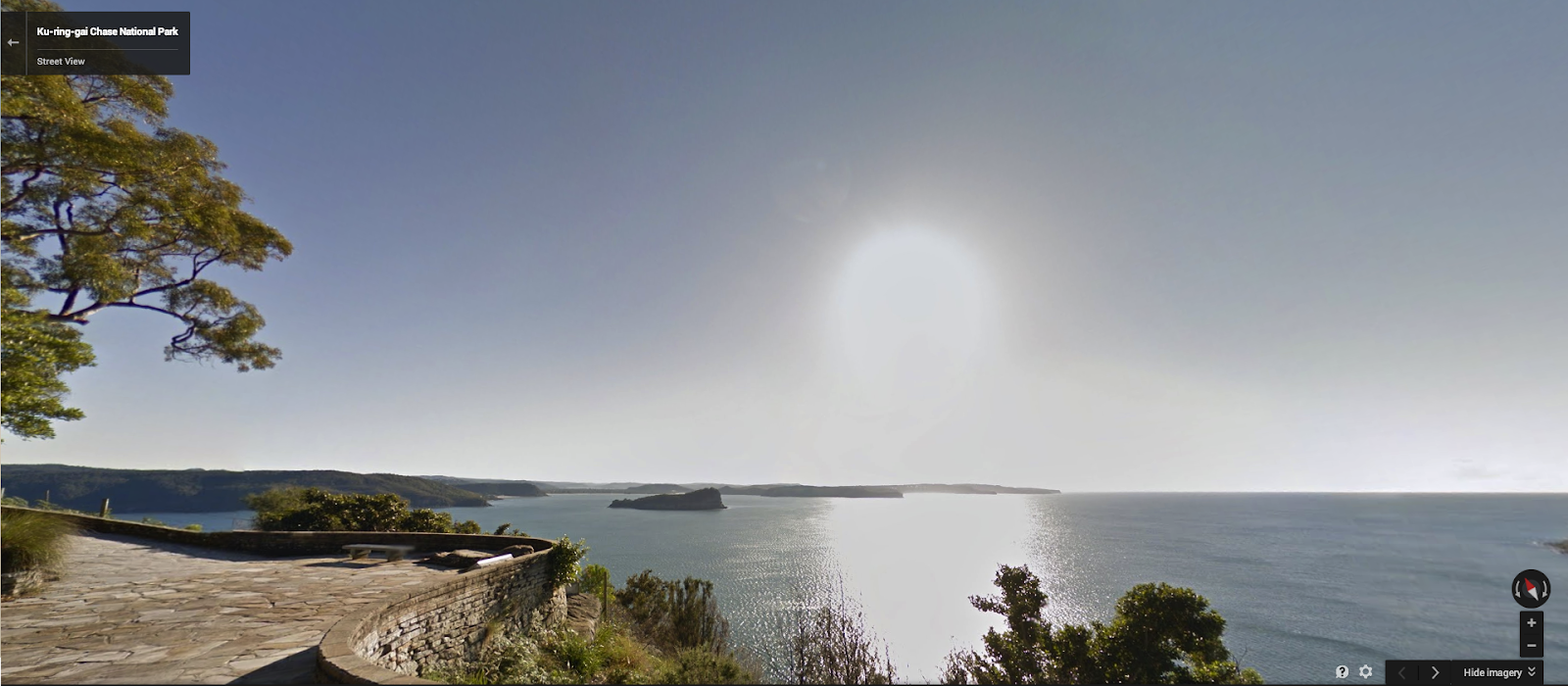
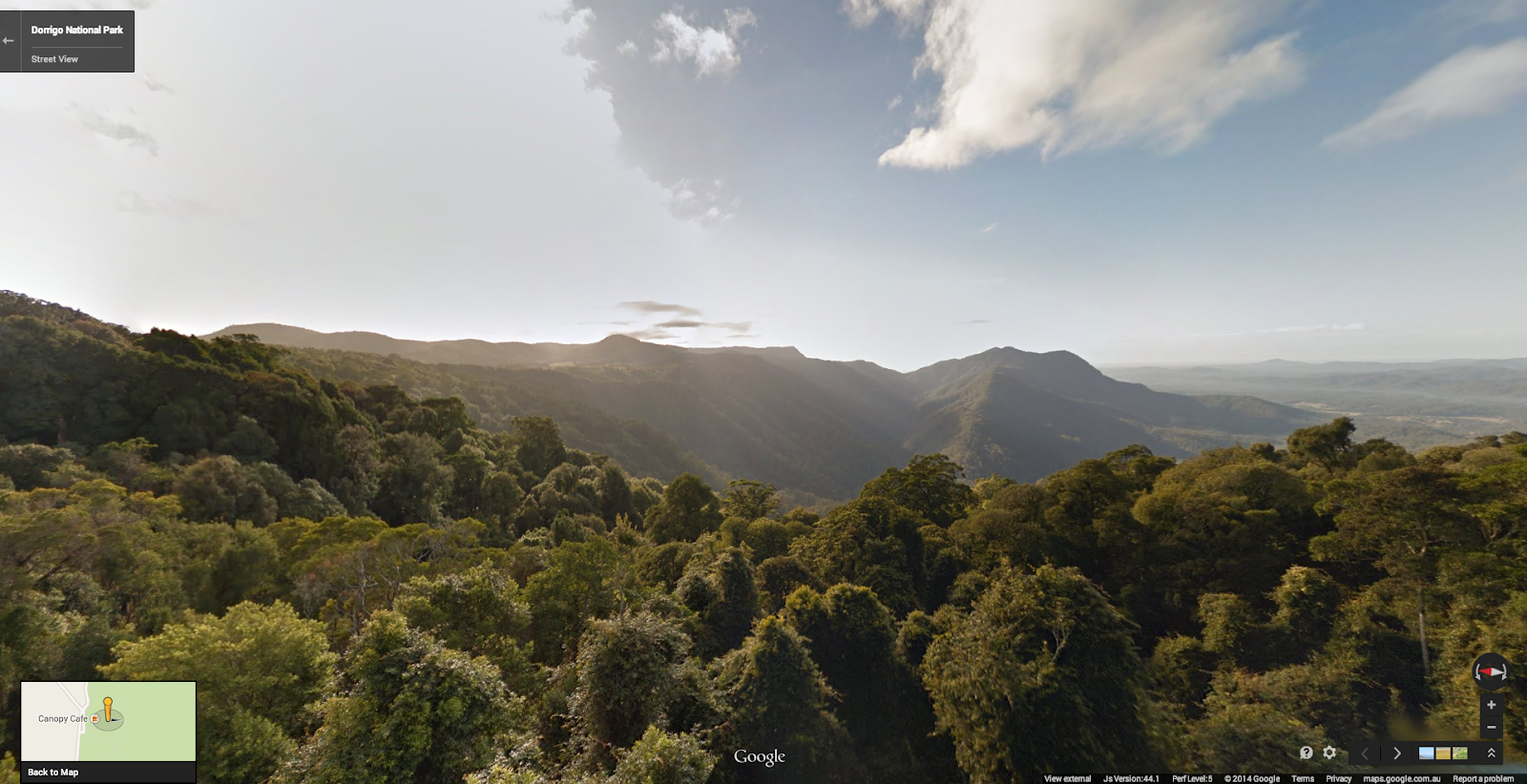
Beyond Mount Kosciuszko, bushwalkers can take a virtual hike through Fort Denison, Dorrigo National Park, Ku-ring-gai Chase, Cape Byron lighthouse and 16 other parks across New South Wales.
At the summit of Mount Kosciuszko
Looking over the cannons at Fort Denison
Screen Shot 2014-11-13 at 5.37.49 PM.png
West Head Lookout at Ku-ring-gai Chase National Park
Screen Shot 2014-11-13 at 1.50.33 PM.png
The view over Dorrigo National Park

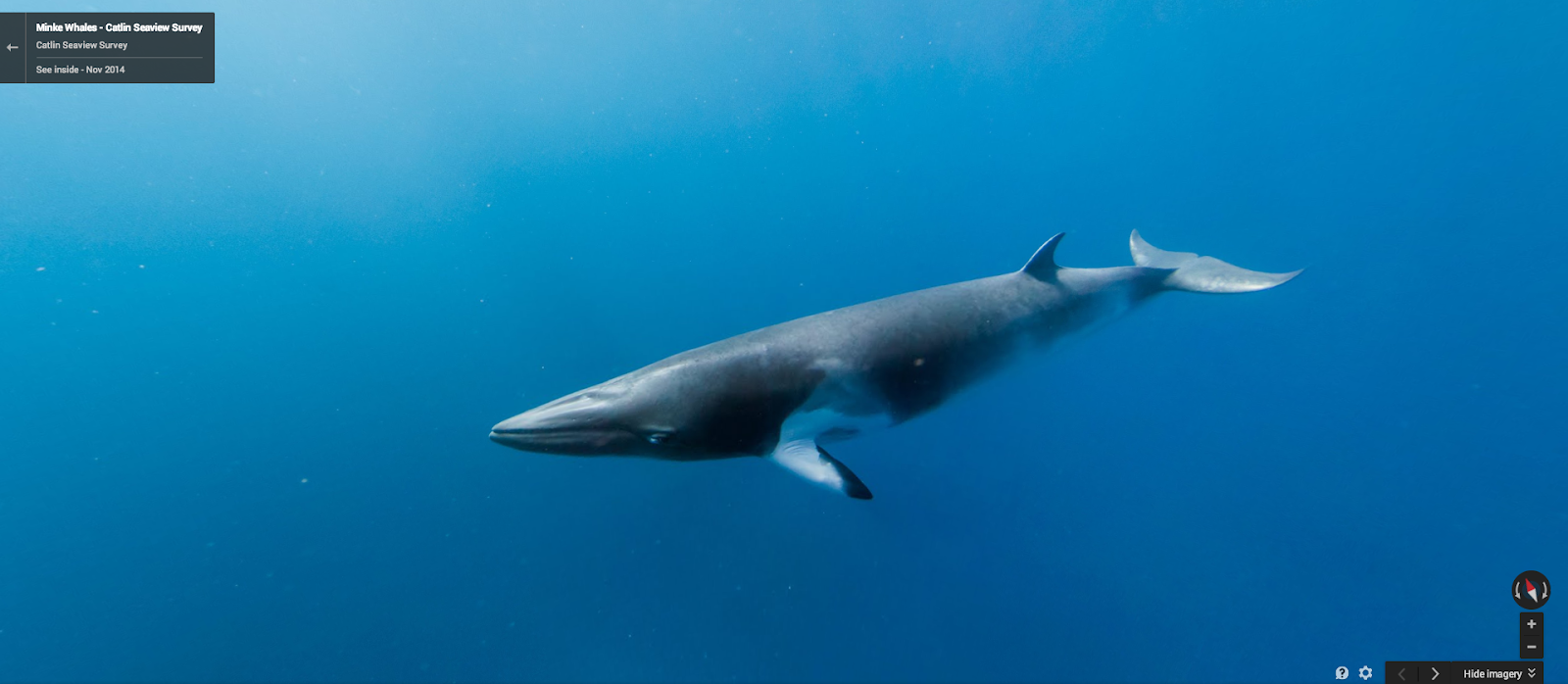
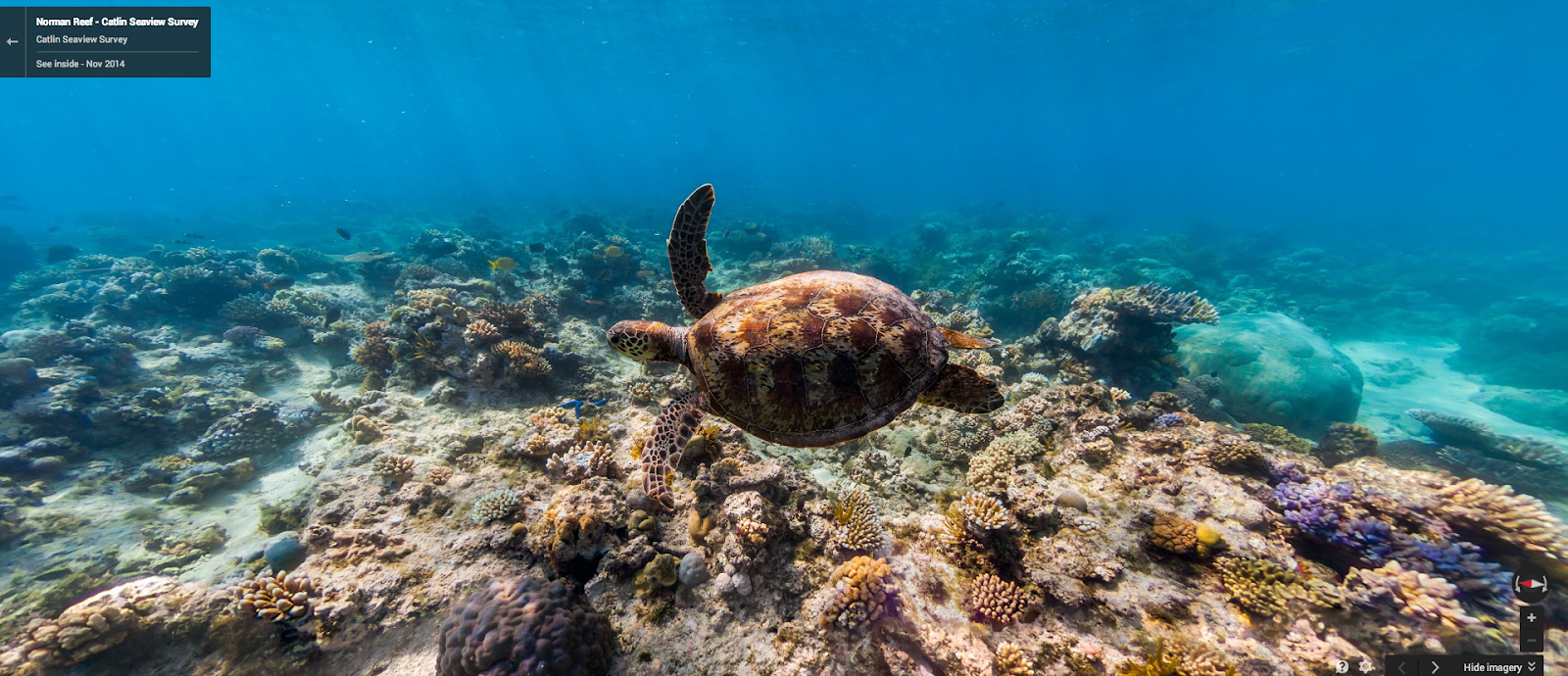
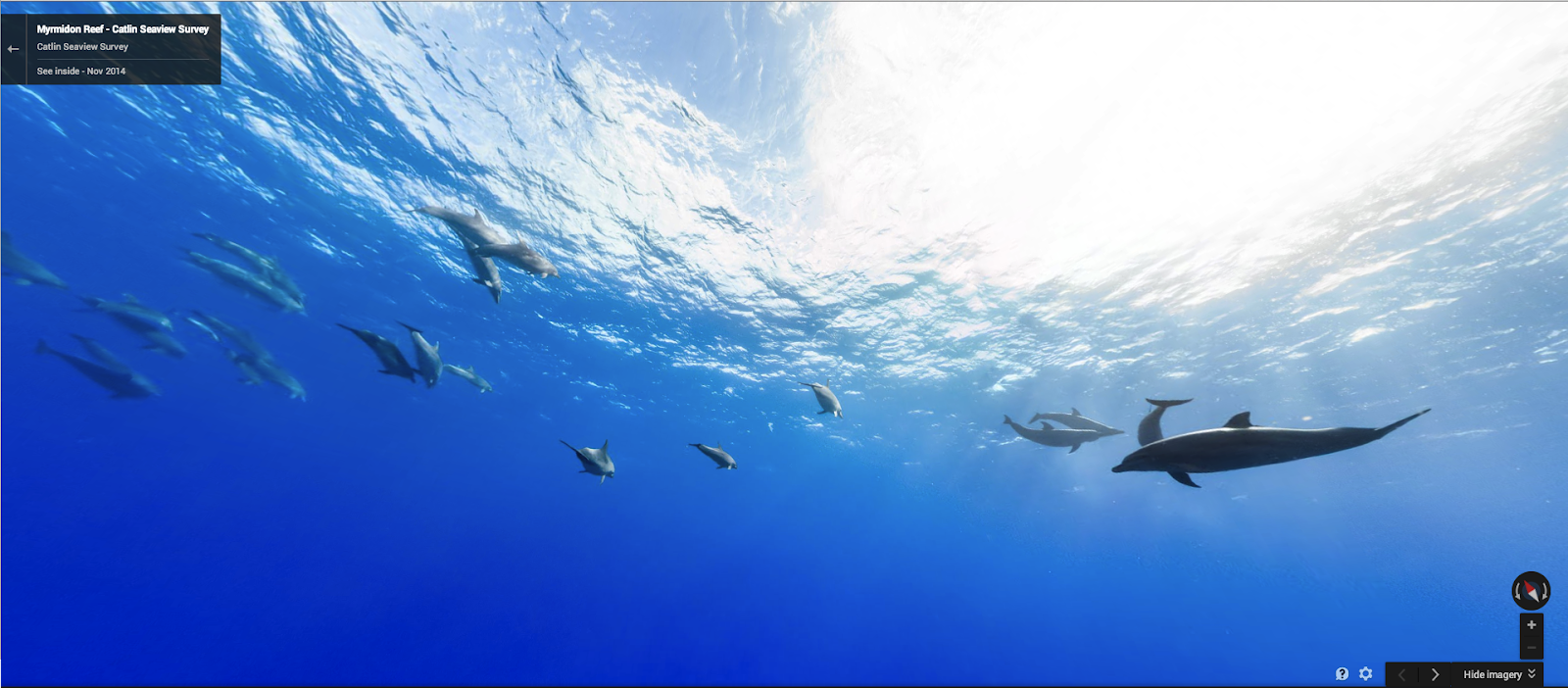
Divers can get up close with Minke whales, a seahorse in Chowder Bay, Magic Point sharks, dolphins near Myrmidon Reef and even a Norman Reef sea turtle. 
Screen Shot 2014-11-13 at 2.06.04 PM.png
A Minke whale in the Great Barrier Reef
Screen Shot 2014-11-13 at 2.06.38 PM.png
A sea turtle in Norman Reef
Screen Shot 2014-11-13 at 5.24.58 PM.png
Dolphins off Myrmidon Reef

From the depths of Sydney Harbour to the iconic Bondi Beach and all along the Great Barrier Reef, we hope you enjoy exploring these locations from a whole new perspective.
Screen Shot 2014-11-13 at 2.07.18 PM.png
Beneath the waves at Bondi Beach

We hope this new Street View imagery not only inspires adventure, but that it also helps people to learn more about the delicate ecology of our parks and underwater worlds. 


Read More..

Senin, 02 Maret 2015

Despite growing sales, there is a sentiment that tablets are just a passing fad. Tablets are not for everyone, and a tablet is still not good replacement for your desktop or laptop PC. But the demand for a device larger than a smartphone but smaller than an laptop has been around for a some time.

In the spring of 2006, Microsoft and Intel created the specifications for the  An ultra-mobile personal computer, or UMPC. The UMPC are small hand held computers, which have a TFT display measuring (diagonally) about 5 to 7 inches, and operated like tablet PCs using a touchscreen or a stylus. The target price for these devices was $500, but the target was not met an UMPC hit the market with a price of about US$1,000


Gigabyte U60 UMPC from 2007

The following year, Intel launched the specifications for a Mobile Internet device (MID), which was a multimedia-capable mobile device providing wireless Internet access.


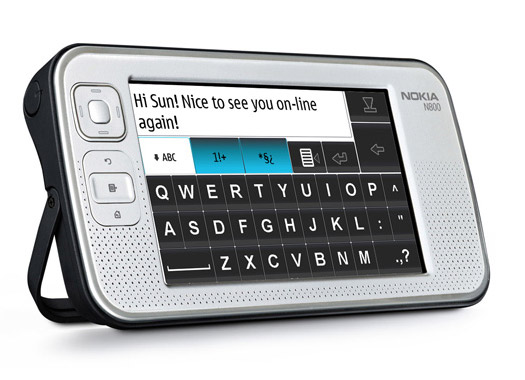
Nokia N800 from 2007

Eventually, the lower price point was met by going with a more conventional form factor, Asus Eee PC 700. The 7-inch device followed the form factor of a laptop, and was actually a product of the One Laptop Per Child program.


Asus Eee PC from 2007

But in the end, this was really a unhappy marriage between putting a conventional keyboard in a smaller package. The Asus Eee PC was originally classified as a "UMPC", but eventually a new category called "Netbooks" was created and the devices grew larger, being pretty much low cost ultraportable laptops.

Basically, the need for a device, bigger and more functional than a smartphone, more portable and cheaper than a laptop has been a recognized for some time. Apples iPad, was the first truly commercial success in this regard. Basically, it dropped the physical keyboard and dedicated pointing device and created a software or app ecosystem which minimized dependence on those two input methods.


Apples iPad from 2010

The other view has been expressed. Kevin C. Tofel of GigaOM wrote an article entitled "The once mighty PC treads a path towards extinction", citing Mark Dean, IBMs Chief Technology Officer:

[W]hile PCs will continue to be much-used devices, they’re no longer at the leading edge of computing. They’re going the way of the vacuum tube, typewriter, vinyl records, CRT and incandescent light bulbs.
I think this view is extreme.While I can agree with the first statement, I do not see them going the way of "the vacuum tube, typewriter, vinyl records, CRT and incandescent light bulbs."
 
Yes, I do see the tablet replacing the PC for a large portion of the market. A desktop or laptop is just more than many people need. The personal computer was a productivity tool, became a gaming device and morphed into a multimedia platform. With the advents of more capable smartphones, and now the tablet, it is going back to being a productivity tool.

Before the advent of the PC, we had the typewriter and the pen and paper. Our use for computers have gone beyond recording information and writing letters, but basically the need for this functions has not gone away.

Back in the day, a family would share a typewriter, with a few people who used it regularly having a separate one of their own. For daily needs, we would use the pen and paper.


Basically, the personal computer replaced the typewriter. For lack of other viable options, it became the tool for those who really just needed the pen and paper.  The tablet replaces personal computer for those who just really needed the pen and paper. Well, that is where things stand today.

But generation of ARM processors Tablets will get more powerful. Keyboards and other peripheral, even larger monitors can and will be integrated into tablets, so much so that a tablet can be transformed a laptop or a home theatre PC depending on need.


I do not want to put words in the mouth or Mr. Dean, but I think what he was saying that x86 (Intel, AMD and Via processors) is going the way of the dodo, in the personal computer space at least. I think I can agree with that. While there will always those who need more power, at some point in time, people will start realizing that their needs only require so much power that they will buy what works well enough and not worry about benchmarks, with other factors like battery life being considered more important. 

I would not say that the PC is dead, but it will loose relevance with the average home and business user.


Read More..

Minggu, 01 Maret 2015

CabreraDetroit Tigers first baseman Miguel Cabrera was arrested in Florida under suspicion of driving under the influence and then resisting arrest in a non-violent fashion.

According to the police report they found Cabrera, 27, sitting on the side of the road in his car which had a smoking engine. When they approached the vehicle to question him he could have played it cool, but no. He swigged from a bottle of Scotch in front of them. Doh! Bad baseball player, bad!

Cabrera then went from dumb to prima-donna when he allegedly said to officers, Do you know who I am?"

Oh no, man. That is such a played out move.

I know you are a super star on the rise, dude, and I am from Detroit and a Tigers fan but unless you are Tiger Woods or Mel Gibson, I dont think that line works just yet. 

Here are 5 better things to say to a cop when you have found yourself in a compromising and very, very guilty-looking situation:


5. "Are you a baseball fan? Because if you are, Ive got six tickets to the World Series with your name on em."

4. "Officers, thank GOD you arrived. Ive been stranded for five days just like that old man in Arizona and when the windshield wiper fluid ran out, I had to sustain myself on Scotch."

3." I am so, so sorry. You see, in Detroit there are no laws."

2. "I have no idea what happened. I was hanging out with Charlie Sheen and then I just woke up here on the side of the road. Whered Charlie go?"

1. "Im still really, really broken up over Sparky Anderson and Ernie Harwell because they were legends and class-acts and I have really big shoes to fill if I am going to be part of the Tigers legacy and so I had a few drinks because Im young and its nerve-wracking. Can you blame me?"

The police might have taken it a little easier on you if you had said that.

This post sponsored by:


Dr Mobiles Limited
1 Huron Street, Takapuna, North Shore 0622
Tel: (09) 551-5344 and Mob: (021) 264-0000
Web - Map - Google+ - Email - Posterous -  Tumblr - Twitter - Blogger - Flickr -  Author   

Read More..

Sabtu, 28 Februari 2015

' Shilo as a Puppy Quality is very poor, but the only early shots I have of
Shilo (3/4 Siberian Husky/1/4 Border Collie) as a very young puppy. From:
Mistal7 Views: 3 0 ratings Time: 02:27 More in Pets & Animals '
Read More..

Jumat, 27 Februari 2015

Heres a simple guide on how to set a custom ringtone to your message alerts on your Samsung Galaxy S II. If youll notice that you cant find an option to set what you desired music or tone to set it as a message notification alert.
Samsung Galaxy S2 custom message ringtone
Heres how to do it:

Connect your Samsung Galaxy S II to your computer or laptop and select "connection type" and get access to storage memory card. If you are having trouble on connection see the guide here.
Now after you have successfully connected you galaxy S II, browse to your mass storage then find the folder "Notifications", if its not on there, create a new folder and named it "Notifications".

Then grab a copy music files you wanted from your computer into that newly created folder "notifications". Once finishes, disconnect your Galaxy S II from the computer. Then you can set that music files as your message tone.

- Go back to the idle screen. Press the Home key.
- Then open the application list.
- Select Messaging.
- Then press on the Menu android-menu-key key.
- Then tap on Settings.
- Tap on the Notifications checkbox and ensure that the checkbox is checked.
- Tap on Select ringtone.
- On the popup select the ringtone you desire.


Heres how to make a custom notification message ringtone on the Samsung Galaxy S2 when you already have a music files stored or saved on your phone.


- Go to Menu
- My files, media
- Then make a map called Audio.
- Open that map, and there you make another map called Notifications.
- Move your mp3/sound/song/ringtone in that map.
- Now you can choose it in settings, sound, notification ringtone.

You can do the same thing with calling ringtones and alarms.
For that, make a map called Ringtones or Alarms in the Audio map. So in Audio will be three maps, Ringtones, Alarms and Notifications.
Read More..

Kamis, 26 Februari 2015

From a news month ago that HTC spokesperson has confirmed the Honeycomb upgrade for HTC flyer will be made available as soon as possible after it releases. Its been little while ago since that report claimed. But now, you might probably already know, The Beta version of the Honeycomb for HTC Flyer has leaked a few days ago. Advance users already tested the said ROM even its been somewhat very complicated to install. The process reportedly tested and works on a Euro WWE 32 GB 3G Flyer and may also work with other variants but unconfirmly works well so far.

Heres a few screenshoots just for a brief details of what have we got to the the HTC Flyer Honeycomb update.
HTC Flyer Honeycomb Firmware SS2


Important Things Needs to Consider Before Following this Guide:
* This process is recommended for experts only!
* This guide is only tested on a Euro WWE 32GB 3G Flyer - it may work on other configurations, but this is untested (id advise reading the topic to see if anyone has experimented with your configuration!)
* Anything you do from this point forward is at your own risk - my Flyer works and ive resurrected a couple of others, but I take no responsibility if it all goes horribly wrong. You COULD brick your tablet
* Do NOT under any circumstances run the RUU in its entirety nor fastboot flash rom.zip - this will make irreversible changes that you dont want!
* Be careful if you flash any RUUs or do anything that could revert you to S-ON on a broken system - this could leave you stuck
The installing process needs to ensure that you have an RUU that matches the ROM version of your HTC Flyer just a back up if anything went wrong and can roll back the process. You can follow the complete step by step installation guides from Paul of Android Modaco here on this thread.
Read More..

Senin, 23 Februari 2015


The Samsung Galaxy S III is really all about everything - the marriage of design, software features and processing power, but since you’ll look at the screen all of the time it’s mostly about the screen. The Galaxy S III has got a 4.8-inch Super AMOLED display with a resolution of 720x1280 pixels. And this alone should already disappoint some of you waiting for a Super AMOLED Plus screen. Let us explain why that’s kind of a letdown.

A Super AMOLED screen is the same as the one on the Galaxy S II Galaxy Nexus and this means that it’s not using the full RGB matrix, but instead goes for the PenTile RGBG pixel arrangement. This means that effectively you get a third less subpixels, hence a slightly worse picture. Samsung obviously relies on the HD resolution of the display and the excellent contrasts of its AMOLED  technology to make up for this, but it’s clearly one area where competitors like LG might take the leading edge and capture geeks hearts.


Engadget got an early look at the handset and is bringing 230x magnified pictures showing off the subpixels and comparing the Galaxy S III display to the ones on the HTC One X, the Galaxy Nexus and then against the whole Galaxy S family. Check it all out to see what you get and what you lose, and let us know how you like the display on the S III, by this comparison below.

Image
ImageImage

Read More..

Sabtu, 21 Februari 2015

Hackers are Cleaver Programmers who break Computer Security. A Hacker is interested in playing Computer and other tech devices or Electronics Stuff and Stay Updated with Latest Technology. Hacker is like to learn about how computer system will work and he/she interested finding new things in Computer.


This post is sponsored by:
Dr Mobiles Limited (Map)
1, Huron Street, Takapuna, Auckland 0622
Tel: (09) 551-5344, Mob: (021) 264-0000
info(a)drmobiles.co.nz
Facebook - Blogger - Twitter - Tumblr - Google+
 
New Lynn Branch (Map):
3069, Great North Road, New Lynn, 0622
Tel: (09) 5555-344, Mob: (021) 374-007sales(a)drmobiles.co.nz
Dr Mobiles Limited - Wellington (Map)

148, Willis Street, Te Aro, Wellington 6011
Tel: (04) 550-6399, Mob: (021) 265-2000
wgtn(a)drmobiles.co.nz
FaceBook

Read More..